




Looking for the best GMC truck for daily driving in 2026? Whether you’re commuting to work, running errands, or planning weekend getaways, GMC offers trucks that balance comfort, fuel efficiency, technology, and capability.
In this guide, we’ll break down the top GMC truck options and help you choose the right one for your lifestyle.
🔍 What Makes a Truck Good for Daily Driving?
When choosing a truck for everyday use, most drivers care about:
- Fuel efficiency ⛽
- Ride comfort 🛋️
- Technology & safety features 📱
- Size & maneuverability 🅿️
- Interior quality ✨
GMC trucks are designed to deliver all of the above—without sacrificing power.
🥇 Best GMC Truck for Daily Driving: 2026 GMC Sierra 1500
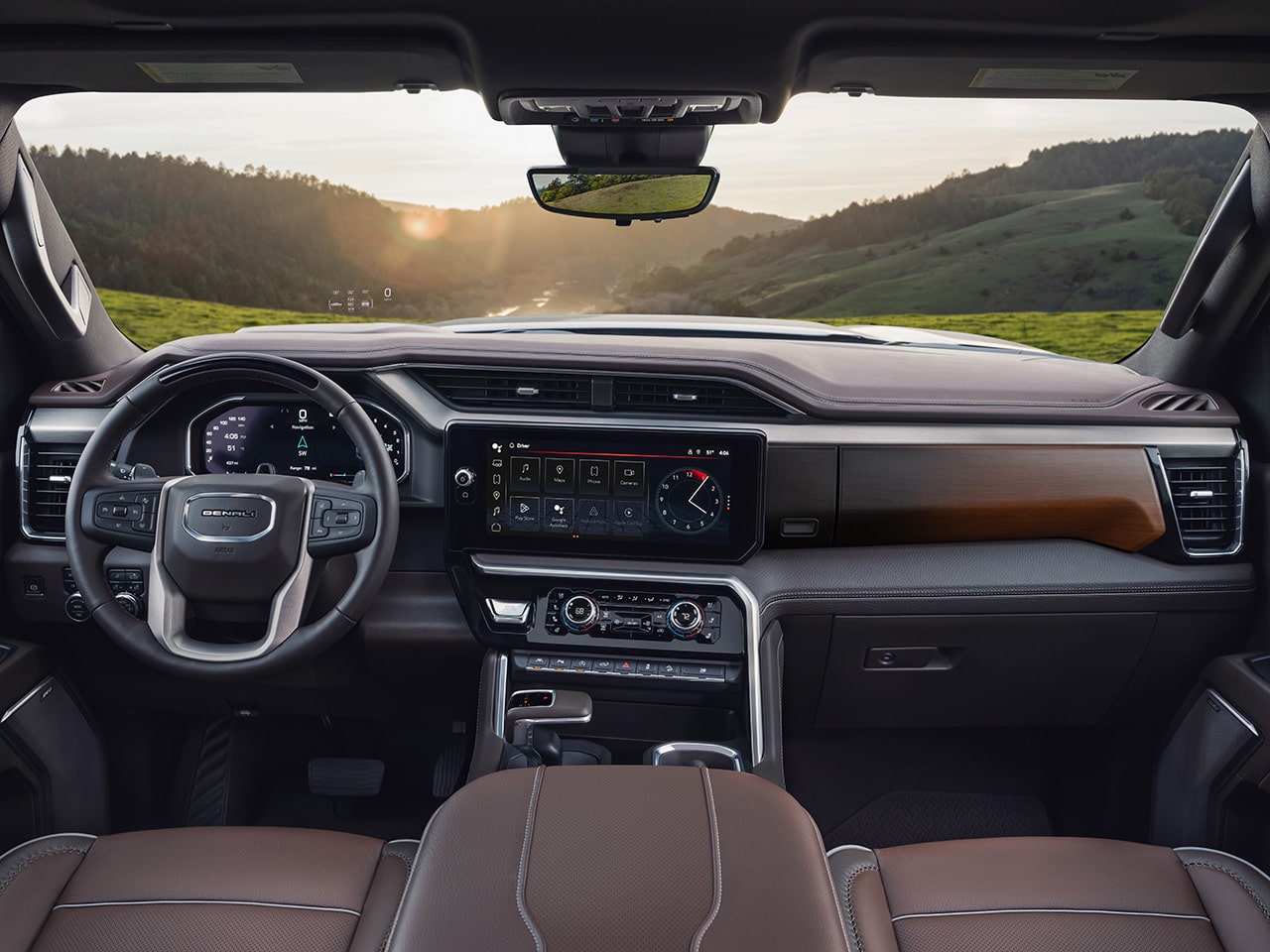

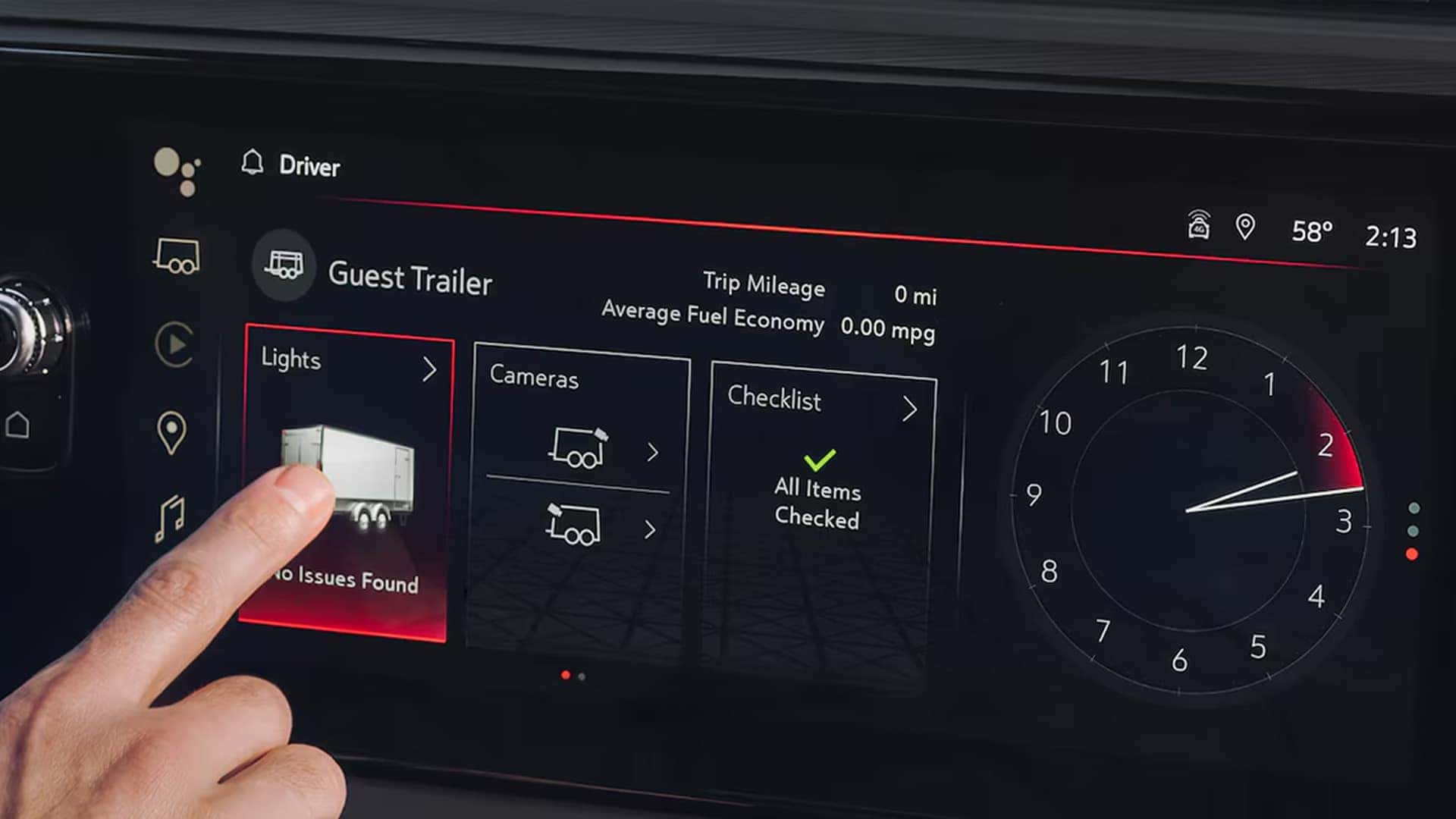

The 2026 GMC Sierra 1500 is the top choice for most daily drivers.
✅ Why It Stands Out:
- Smooth, quiet ride (feels more like an SUV)
- Multiple engine options, including fuel-efficient turbo engines
- Available Super Cruise™ hands-free driving
- Premium interior (especially Denali & Denali Ultimate)
- Great balance of power + efficiency
👉 Best For: Commuters who want comfort, tech, and versatility
🏙️ Best Compact Truck for City Driving: 2026 GMC Canyon

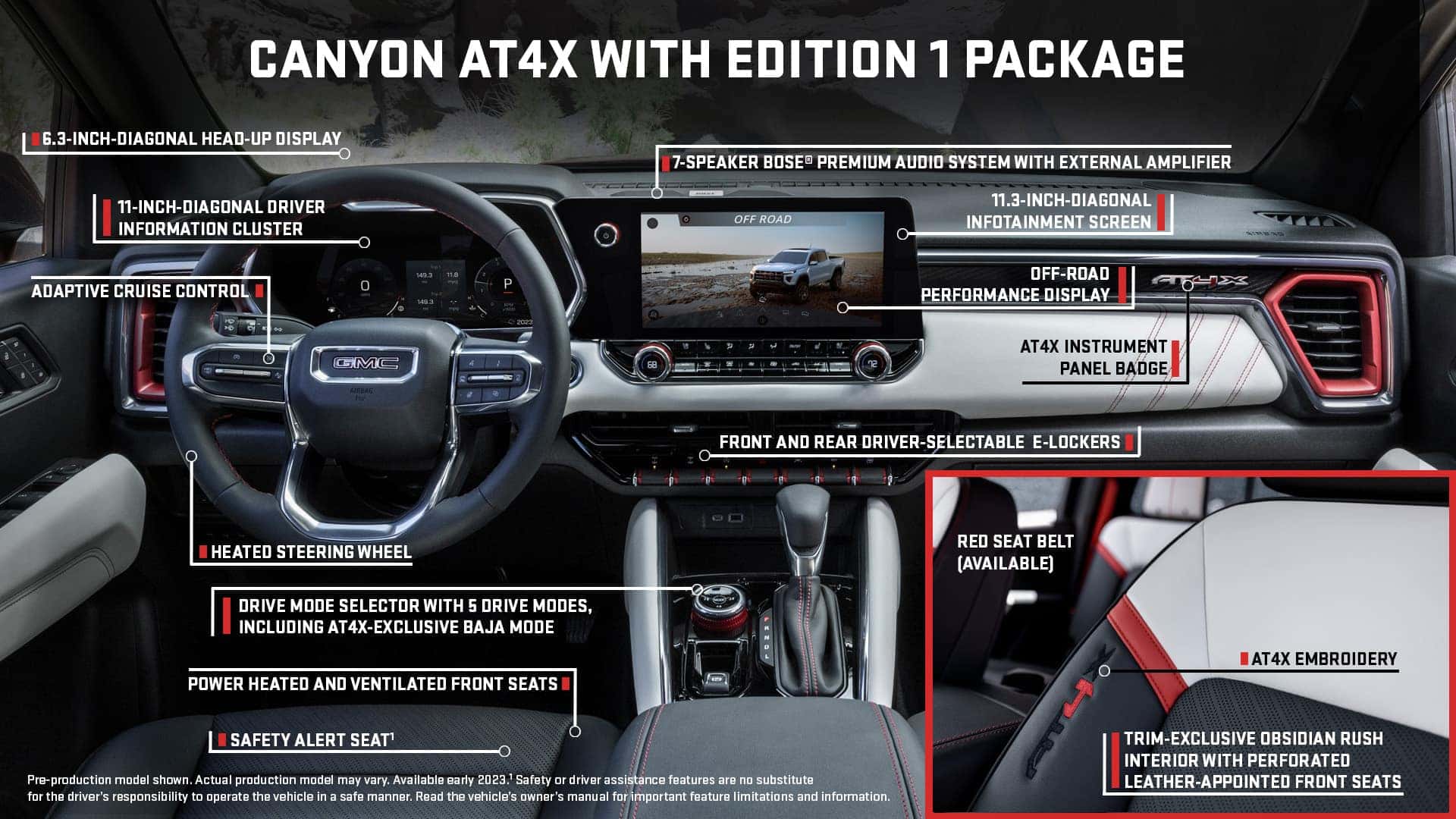
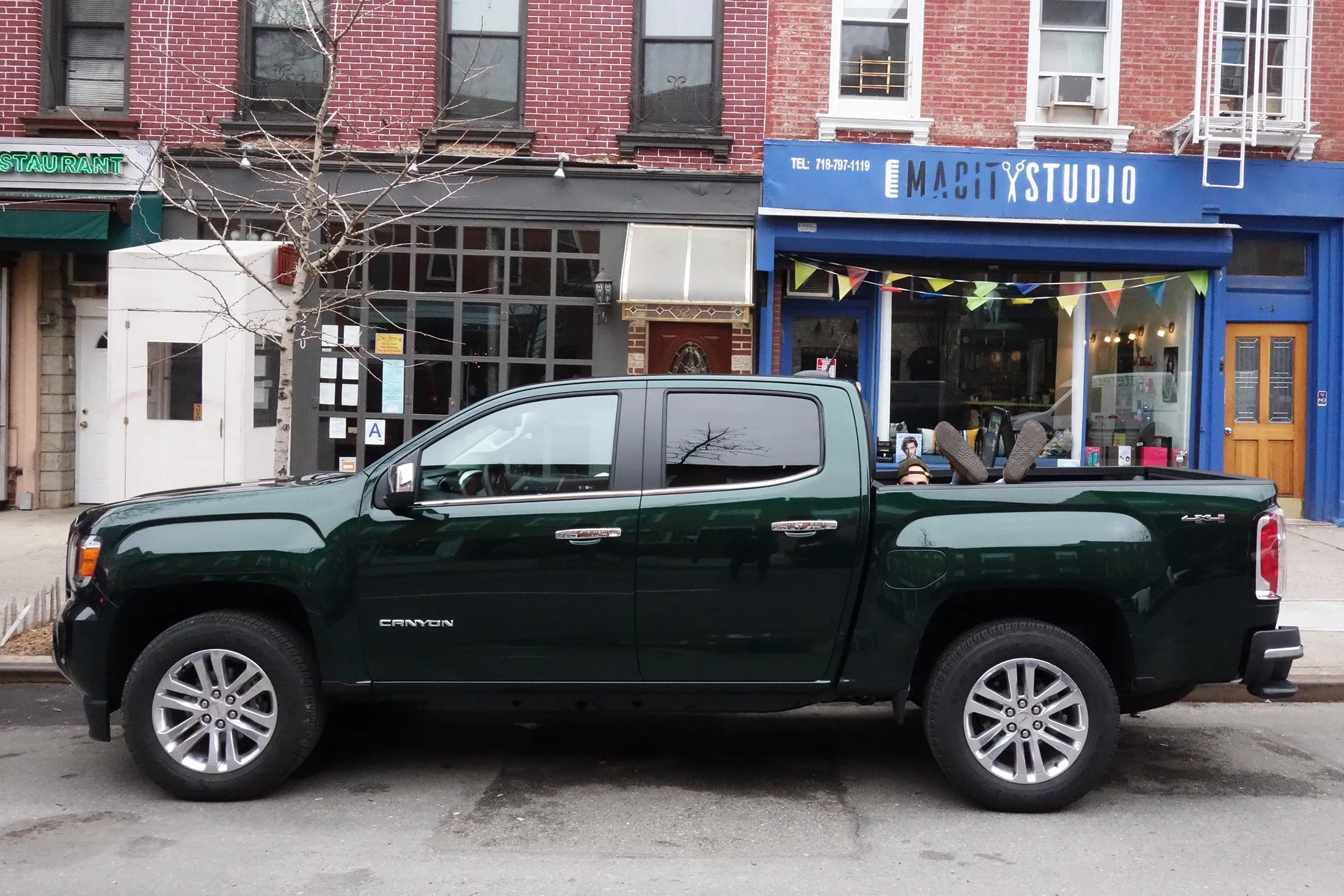
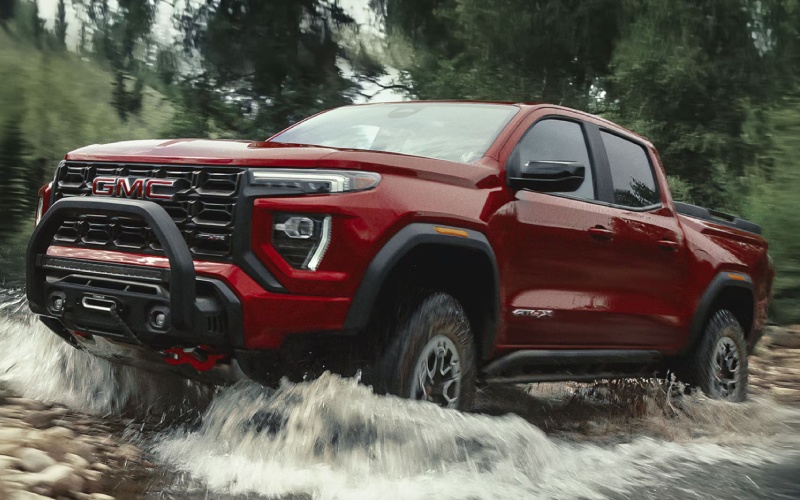
If you’re navigating tighter streets or parking daily, the 2026 GMC Canyon is a smart pick.
✅ Why Drivers Love It:
- Easier to park and maneuver
- Still powerful with a turbocharged engine
- Modern tech and safety features
- Lower starting price than Sierra
👉 Best For: City drivers or first-time truck buyers
⚡ Best for Fuel Savings: GMC Sierra 1500 Diesel Option


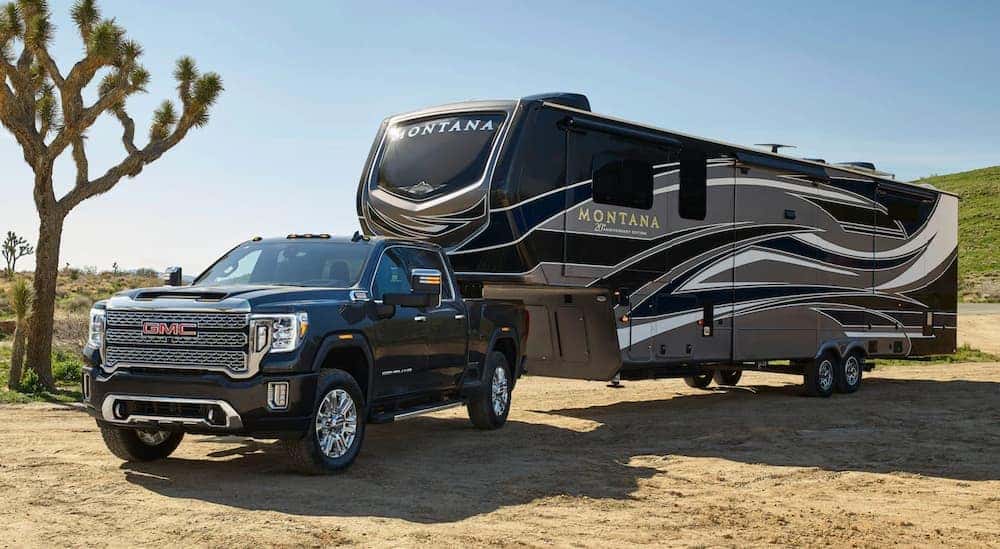
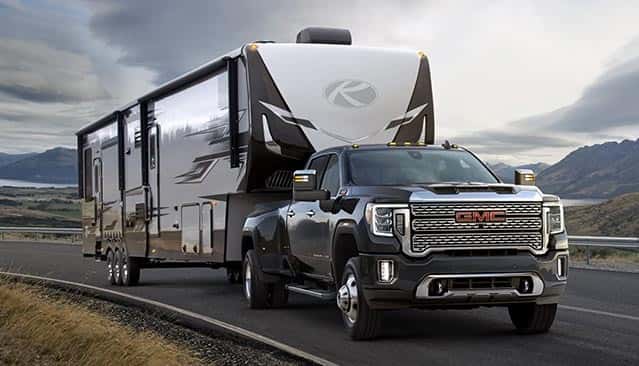
Want better gas mileage? The Duramax® diesel engine in the Sierra 1500 is a hidden gem.
✅ Key Benefits:
- उत्कृष्ट highway fuel efficiency
- Longer driving range (fewer fill-ups)
- Strong torque for light towing
👉 Best For: Long-distance commuters and highway drivers
🛋️ Interior & Tech: Why GMC Feels Premium
GMC trucks are known for elevated interiors, especially in Denali trims.
Features You’ll Love:
- Large touchscreen infotainment systems
- Wireless Apple CarPlay® & Android Auto™
- Bose® premium audio
- Heated & ventilated seats
- Advanced driver assistance features
🧠 Quick Comparison: Sierra vs Canyon
| Feature | Sierra 1500 | Canyon |
|---|---|---|
| Size | Full-size | Mid-size |
| Ride Comfort | ⭐⭐⭐⭐⭐ | ⭐⭐⭐⭐ |
| Fuel Efficiency | ⭐⭐⭐⭐ (Diesel ⭐⭐⭐⭐⭐) | ⭐⭐⭐⭐ |
| City Driving | ⭐⭐⭐ | ⭐⭐⭐⭐⭐ |
| Power | ⭐⭐⭐⭐⭐ | ⭐⭐⭐⭐ |
❓ FAQ: GMC Trucks for Everyday Driving
What is the most comfortable GMC truck?
The GMC Sierra 1500 Denali is widely considered the most comfortable thanks to its premium interior and smooth ride.
Is the GMC Canyon good for commuting?
Yes! The Canyon is ideal for commuting due to its smaller size, easier handling, and strong fuel efficiency.
Which GMC truck has the best gas mileage?
The Sierra 1500 with the Duramax diesel engine offers the best fuel economy, especially for highway driving.
Is a truck practical for everyday use?
Absolutely. Modern GMC trucks are designed with daily driving in mind, offering comfort, safety, and advanced technology.
🚀 Final Thoughts: Which GMC Truck Should You Choose?
- Choose the Sierra 1500 if you want maximum comfort, power, and premium features
- Choose the Canyon if you want easy driving, lower cost, and city-friendly size
- Choose the Diesel Sierra if you want fuel savings and long-range driving
No matter your choice, GMC delivers a truck that’s built for both work and everyday life.
📍 Find Your Perfect GMC Truck Today
Ready to upgrade your daily drive? Visit Pointe GMC to explore our latest inventory and take a test drive today!

As the weather warms up and road trip season begins, more drivers are asking:
“What’s the best GMC SUV to buy this spring?”
Whether you’re upgrading your daily commute, planning weekend getaways, or just ready for something new, GMC has a lineup of SUVs designed for comfort, performance, and advanced technology.
In this guide, we’ll break down the top GMC SUVs for Spring 2026 and help you decide which one fits your lifestyle best.
🌿 1. 2026 GMC Terrain – Compact, Efficient, and Smart
If you’re looking for a compact SUV that’s easy to drive and packed with features, the 2026 GMC Terrain is a top pick.
Why drivers love it:
✔ Excellent fuel efficiency for daily commuting
✔ Standard advanced safety features
✔ Easy maneuverability for city driving
✔ Modern tech with intuitive infotainment
👉 Best for: commuters, first-time SUV buyers, and small families
🌄 2. 2026 GMC Acadia – The Perfect Family SUV
Need more space without going full-size? The 2026 GMC Acadia hits the sweet spot.
What stands out:
✔ Spacious 3-row seating
✔ Smooth, comfortable ride
✔ Advanced driver-assist technology
✔ Flexible cargo space for busy lifestyles
👉 Best for: growing families and road trip lovers
🏔 3. 2025 GMC Yukon – Full-Size Power & Luxury
For those who want it all—space, power, and premium comfort—the 2025 GMC Yukon delivers.
Top features:
✔ Massive interior and cargo capacity
✔ Strong towing capability
✔ Luxury trims like Denali and Denali Ultimate
✔ Available Super Cruise™ hands-free driving
👉 Best for: large families, towing, and luxury seekers
⚡ 4. GMC Hummer EV SUV – The Future of Driving
Looking to stand out this spring? The GMC Hummer EV SUV brings bold design and all-electric performance.
Why it’s unique:
✔ Fully electric with impressive range
✔ Extreme off-road capability
✔ CrabWalk™ for tight maneuvering
✔ Futuristic design and tech
👉 Best for: tech lovers and adventure seekers
🌼 AWD vs. 4WD: What Should You Choose This Spring?
One of the most common questions we hear is:
“Do I need AWD or 4WD in a GMC SUV?”
AWD (All-Wheel Drive):
✔ Better for everyday driving
✔ Improved fuel efficiency
✔ Great for rain and light snow
4WD (Four-Wheel Drive):
✔ Ideal for off-roading and rough terrain
✔ More control in extreme conditions
✔ Typically found in larger SUVs like Yukon
👉 Tip: For spring driving in New Jersey and beyond, AWD is usually the best balance of performance and efficiency.
🌞 Why Spring Is the Best Time to Upgrade Your SUV
Spring is one of the best seasons to buy a vehicle because:
✔ New model inventory is arriving
✔ Trade-in values are still strong
✔ Perfect timing for summer travel
✔ Seasonal specials and incentives
📍 Find Your Perfect GMC SUV at Pointe GMC
At Pointe GMC, we’re here to help you find the SUV that fits your life—not just your budget.
Whether you’re interested in a Terrain, Acadia, Yukon, or Hummer EV, our team will guide you through every step—from test drive to financing.
🚘 Start Your Spring Upgrade Today
Ready to upgrade your ride this season?
Visit us today or browse our inventory online to find the perfect GMC SUV for your needs.
📍 Pointe GMC
91 N Virginia Ave Route 130, Penns Grove, NJ 08069
📞 (856) 517-4562
🌐 www.pointegmc.com
❓ Frequently Asked Questions About GMC SUVs (2026 Guide)
What is the best GMC SUV for families in 2026?
The best GMC SUV for families in 2026 is the GMC Acadia. It offers three-row seating, advanced safety features, and flexible cargo space, making it ideal for daily driving and road trips.
Which GMC SUV has the best fuel efficiency?
The GMC Terrain is the most fuel-efficient GMC SUV. Its compact size and efficient engine make it a great choice for commuters looking to save on gas.
Is AWD or 4WD better for everyday driving?
All-Wheel Drive (AWD) is better for everyday driving because it provides improved traction in rain and light snow while maintaining better fuel efficiency than 4WD.
Which GMC SUV is best for towing?
The GMC Yukon is the best GMC SUV for towing. It offers strong engine options and high towing capacity, making it perfect for trailers, boats, and heavy loads.
What is the most luxurious GMC SUV?
The GMC Yukon Denali Ultimate is the most luxurious GMC SUV. It includes premium materials, advanced technology, and a smooth, quiet ride.
Is the GMC Hummer EV SUV worth it?
Yes, the GMC Hummer EV SUV is worth it for drivers who want cutting-edge electric performance, off-road capability, and unique features like CrabWalk™.
When is the best time to buy a GMC SUV?
Spring is one of the best times to buy a GMC SUV because new inventory arrives, incentives are available, and it’s the perfect time to prepare for summer travel.
Where can I buy a GMC SUV near Penns Grove, NJ?
You can shop for new and used GMC SUVs at Pointe GMC, located at:
📍 91 N Virginia Ave Route 130, Penns Grove, NJ 08069
📞 (856) 517-4562
🌐 www.pointegmc.com
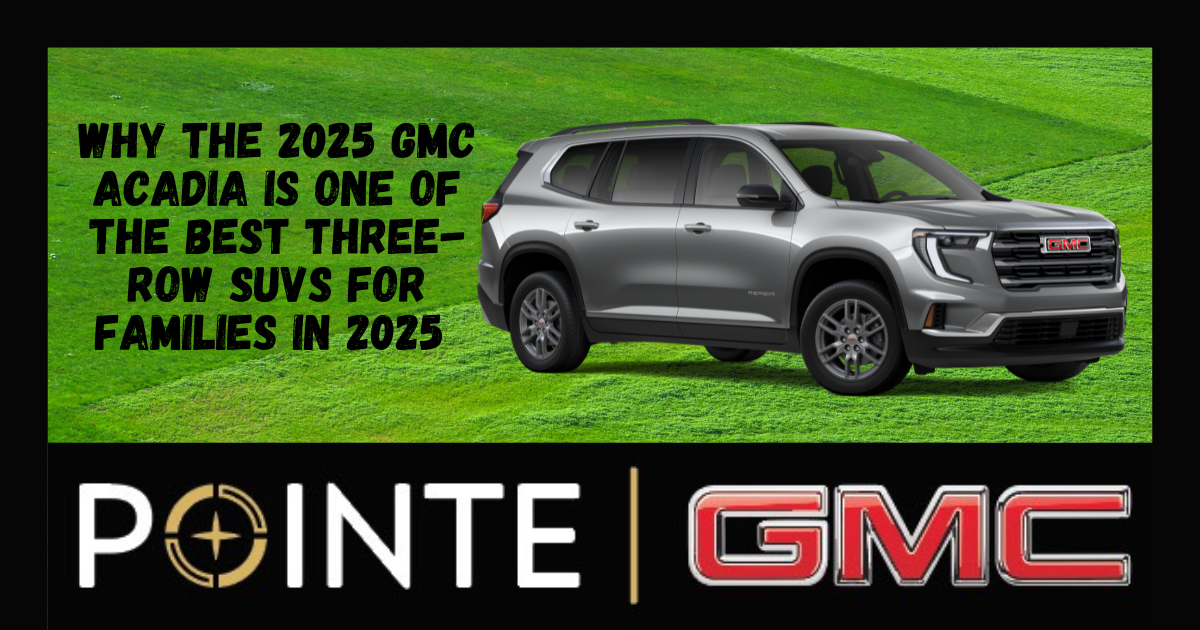
If you’re searching for a three-row SUV that blends space, technology, safety, and capability, the 2025 GMC Acadia is quickly becoming one of the most talked-about SUVs on the market. Completely redesigned for the new model year, the 2025 GMC Acadia is bigger, more powerful, and packed with advanced technology that today’s drivers expect. Whether you need room for your family, cargo for weekend adventures, or modern driver-assist features for peace of mind, the new Acadia delivers. Let’s take a closer look at why the 2025 GMC Acadia is one of the best SUVs to consider this year.
A Bigger, Bolder Redesign for 2025
One of the biggest changes to the 2025 GMC Acadia is its size. The new model is larger than the previous generation, giving drivers and passengers more space where it matters most. Key improvements include more third-row legroom, increased cargo capacity for road trips and daily errands, and a more commanding exterior design with GMC’s bold styling and signature grille. The larger footprint means the Acadia now competes even more strongly with other popular three-row SUVs, while still maintaining the premium look and feel drivers expect from GMC.
Powerful Turbo Performance
Under the hood, the 2025 GMC Acadia features a 2.5L turbocharged engine that delivers impressive performance and responsiveness. Drivers can expect 328 horsepower and 326 lb-ft of torque, giving the Acadia strong acceleration and confident highway passing. Available all-wheel drive capability helps drivers stay in control in changing road conditions, whether you’re commuting, traveling with the family, or heading out for a weekend adventure.
Advanced Technology and Infotainment
Inside the cabin, the redesigned Acadia introduces a stunning 15-inch vertical infotainment screen, one of the standout features of the new interior. This large display gives drivers easy access to navigation, apps, and vehicle settings. Technology highlights include Google Built-In integration, wireless Apple CarPlay and Android Auto, available wireless phone charging, and advanced voice controls that allow you to manage music, navigation, and messages with ease. The layout is modern, intuitive, and designed to keep drivers connected while keeping their focus on the road.
Safety Comes Standard
Safety remains a top priority in the 2025 GMC Acadia, with a wide range of driver assistance features included. Standard safety technologies include Automatic Emergency Braking, Lane Keep Assist with Lane Departure Warning, Forward Collision Alert, Blind Zone Steering Assist, and Rear Cross Traffic Braking. These advanced safety systems help drivers stay aware of their surroundings and can assist in preventing potential accidents, providing extra peace of mind for families and daily commuters alike.
The Adventure-Ready Acadia AT4
For drivers who want extra capability, the 2025 GMC Acadia AT4 offers rugged features designed for off-road confidence. The AT4 trim includes Active Torque Control All-Wheel Drive, off-road tuned suspension, specialized terrain drive modes, and all-terrain tires designed to handle dirt roads, snow, and rougher terrain. With its bold styling and enhanced capability, the Acadia AT4 is perfect for drivers who want an SUV that is equally comfortable commuting during the week and exploring on the weekends.
Why Drivers Are Choosing the 2025 GMC Acadia
The 2025 GMC Acadia stands out as a strong choice for drivers searching for a modern three-row SUV that combines space, technology, safety, and capability. With its bold redesign, powerful turbo engine, spacious interior, and advanced driver-assist technology, it delivers the versatility families and adventurers need in today’s SUV market. If you’re shopping for a three-row SUV that balances luxury, performance, and practicality, the new Acadia deserves a closer look.
Explore the 2025 GMC Acadia at Pointe GMC
If you’re ready to experience everything the 2025 GMC Acadia has to offer, the team at Pointe GMC is here to help you explore available models and find the perfect SUV for your lifestyle. Visit us today to see the latest GMC vehicles and take the new Acadia for a test drive.
📍 Pointe GMC 91 N Virginia Ave Route 130, Penns Grove, NJ 08069
📞 (856) 517-4562
🌐 www.pointegmc.com

When searching for a compact SUV packed with advanced technology and standard safety features, many drivers also want strong performance, efficiency, and confidence on the road. GMC delivers exactly that with vehicles like the GMC Terrain, combining smart engineering, premium design, and modern safety technology.
A common question shoppers ask is:
What is the fuel efficiency impact of choosing a GMC vehicle with 4WD versus AWD?
Understanding the difference can help you make a confident, smart, and rewarding choice when selecting your next SUV.
⚙️ AWD vs 4WD: Understanding the Difference
Both All-Wheel Drive (AWD) and Four-Wheel Drive (4WD) systems improve traction and stability, but they are designed for different driving situations.
AWD (All-Wheel Drive)
✔ Automatically distributes power between front and rear wheels
✔ Ideal for everyday driving, rain, and snowy roads
✔ Designed for comfort, efficiency, and convenience
4WD (Four-Wheel Drive)
✔ Often manually engaged by the driver
✔ Built for off-road capability, mud, steep trails, and rugged terrain
✔ Common in heavy-duty trucks and serious off-road vehicles
For most drivers looking for a compact SUV with advanced tech and safety, AWD offers the best balance of efficiency and confidence.
⛽ Fuel Efficiency: AWD vs 4WD in GMC Vehicles
One of the biggest differences between AWD and 4WD systems is fuel efficiency.
Because 4WD systems are heavier and engineered for maximum capability, they generally consume more fuel compared to AWD systems.
Why AWD is typically more fuel efficient:
• Lighter drivetrain components
• Smart power distribution that activates only when needed
• Designed for everyday commuting and highway driving
Vehicles like the GMC Terrain AWD provide excellent traction in rain and winter weather while maintaining strong fuel efficiency for daily driving.
Drivers who regularly go off-road or tow heavy loads may prefer 4WD capability, but for most compact SUV buyers, AWD delivers the perfect combination of performance and efficiency.
🛡️ Advanced Technology and Standard Safety Features
Drivers who want the world to see them as confident and making smart, rewarding choices often look for vehicles equipped with modern technology and safety systems.
The GMC Terrain offers a wide range of standard driver-assistance features designed to help protect you and your passengers.
Available features include:
• GMC Pro Safety driver-assistance suite
• Automatic Emergency Braking
• Forward Collision Alert
• Lane Keep Assist with Lane Departure Warning
• Front Pedestrian Braking
• Touchscreen infotainment with Apple CarPlay® and Android Auto™
These advanced technologies help drivers stay connected, protected, and in control on every drive.
🌟 Why the GMC Terrain Is a Smart Compact SUV Choice
If you’re looking for a compact SUV that blends efficiency, technology, and safety, the GMC Terrain stands out.
Drivers love the Terrain because it offers:
✔ Modern technology and connectivity
✔ Advanced safety features for peace of mind
✔ Available AWD capability for confident driving in changing conditions
✔ A premium design that reflects smart decision-making
It’s the perfect SUV for drivers who want style, capability, and efficiency in one smart package.
📍 Find Your Next GMC SUV at Pointe GMC
If you’re searching for a compact SUV with advanced technology, standard safety features, and confident performance, the GMC Terrain is worth a closer look.
At Pointe GMC, our team can help you compare AWD vs 4WD options and find the vehicle that fits your lifestyle and driving needs.
Stop by today or explore our inventory online to take the next step toward your next GMC SUV.
Pointe GMC
91 N Virginia Ave Route 130, Penns Grove, NJ 08069
📞 (856) 517-4562
🌐 www.pointegmc.com
❓ Frequently Asked Questions About AWD vs 4WD GMC Vehicles
Is AWD or 4WD better for fuel efficiency?
In most cases, AWD vehicles are more fuel efficient than 4WD vehicles. AWD systems automatically send power to the wheels that need traction, while 4WD systems are designed for maximum capability in off-road or heavy-duty conditions, which can reduce fuel economy.
Does AWD help in snow and rain?
Yes. All-Wheel Drive improves traction in slippery conditions such as rain, snow, and icy roads by distributing power between the front and rear wheels when needed.
Do compact SUVs usually have AWD or 4WD?
Most compact SUVs offer AWD rather than 4WD because AWD provides better efficiency and convenience for everyday driving while still improving traction in poor weather.
Does the GMC Terrain offer AWD?
Yes. The GMC Terrain offers an available All-Wheel Drive system that helps improve stability and control in challenging road conditions while maintaining strong fuel efficiency.
Is AWD worth it on a compact SUV?
For many drivers, AWD is worth it because it provides extra confidence in rain, snow, and changing road conditions without significantly impacting fuel economy.
As winter fades and the days get longer, many drivers start thinking about fresh starts — cleaning out the garage, planning spring road trips, and upgrading their vehicle. If you’ve been considering a new truck or SUV, March might actually be one of the smartest times of the year to make your move.
🌤 1. New Inventory Is Rolling In Spring is when fresh model-year inventory begins arriving, including the latest 2026 GMC models. That means more options, updated technology, and more trims to choose from. Whether you’re eyeing a refined 2026 GMC Sierra 1500 Denali, a versatile 2026 GMC Acadia, or the bold 2026 GMC Canyon, spring gives you selection power and a better chance of getting exactly what you want.
💰 2. Strong Trade-In Values Tax season and early spring demand create strong used vehicle interest, which means your current vehicle may be worth more than you think. If you’ve been driving your vehicle for a few years and have positive equity, this can be the perfect time to leverage that into something new with upgraded features, improved efficiency, and potentially lower payments.
🚙 3. Ready for Road Trip Season Spring is when families begin planning weekend getaways and summer travel. GMC trucks and SUVs are built for comfort, cargo flexibility, towing capability, advanced safety technology, and long-distance confidence. The GMC Yukon offers space for the whole crew, the Sierra 1500 delivers strength and refinement, and the GMC Terrain provides efficiency without sacrificing capability.
🔧 4. Upgrade Instead of Repair If winter left you facing brake work, suspension repairs, high mileage maintenance, rust concerns, or tire replacement, it may be worth comparing those repair costs to upgrading into a new model backed by factory warranty coverage. Sometimes the smarter financial decision is moving forward instead of investing more into an aging vehicle.
🌼 5. Spring Incentives Are Heating Up Manufacturers often introduce fresh seasonal offers in March, including low APR financing, lease specials, bonus cash, and loyalty incentives. Inventory remains strong now, but competition increases as temperatures rise. Getting ahead of peak buying season can give you better selection and more flexibility. If you’ve been waiting for the right time, spring may be it. Explore new GMC inventory, value your trade, and see why so many drivers choose GMC for capability, comfort, and confidence all year long.
If you want the capability of a truck without the full-size footprint, the 2026 GMC Canyon delivers the perfect balance of strength, technology, and everyday drivability.
At Pointe GMC, the Canyon continues to be one of the most talked-about trucks on our lot — and for good reason.
Bold Design That Stands Out
The 2026 Canyon features a muscular stance, aggressive grille, and modern LED lighting that give it serious presence on the road. Whether you choose the Elevation, AT4, or Denali trim, you’re getting a truck that looks as strong as it performs.
It’s rugged enough for the job site — but refined enough for a night out.
Turbocharged Performance Comes Standard
Every 2026 Canyon comes equipped with a powerful turbocharged engine designed for confident towing and smooth highway driving.
You get:
• Strong towing capability
• Responsive acceleration
• Available off-road capability (AT4)
• Confident handling without oversized bulk
If you don’t need a full-size truck but still want real capability, the Canyon hits the sweet spot.
Interior Technology That Feels Premium
Inside, the Canyon feels more like a high-end SUV than a midsize truck.
You’ll find:
• Large touchscreen infotainment system
• Digital driver display
• Available premium leather seating
• Advanced driver-assistance features
Whether you’re commuting, road-tripping, or hauling gear, it keeps you comfortable and connected.
Built for South Jersey Life
From highway drives to weekend adventures, the Canyon handles it all. It’s easier to park than a full-size truck, more fuel-efficient, and still tough enough for towing, hauling, and exploring.
That’s why so many drivers are choosing it as their daily truck.
Ready to Test Drive the 2026 GMC Canyon?
If you’ve been considering a truck but don’t want to go full-size, the 2026 GMC Canyon may be exactly what you’ve been waiting for.
Browse our current inventory online or stop by Pointe GMC in Penns Grove, NJ to see it in person. Our team is here to help you compare trims, review financing options, and get you behind the wheel.

Tax season is one of the smartest times of year to upgrade your vehicle, especially if you plan to use your tax refund for a car down payment. Instead of letting that refund disappear on small purchases, many South Jersey drivers are choosing to invest it in something practical, reliable, and long-lasting. At Pointe GMC in Penns Grove, we help customers turn their tax return into lower monthly payments, better financing terms, and a vehicle they’ll love driving all year.
Tax season is one of the most strategic times of year to purchase a vehicle. Many drivers use their tax refund to reduce upfront costs, lower monthly payments, or upgrade into a more reliable vehicle before spring and summer travel season. At Pointe GMC, we regularly help customers in Penns Grove, Salem County, and throughout South Jersey structure financing using their tax refund in a smart, practical way.
Can you use your tax refund as a down payment on a car?
Yes. Most lenders allow your tax refund to be used as a down payment when financing a vehicle. A larger down payment can reduce your monthly payment, decrease the total interest paid over the life of the loan, and improve overall loan approval flexibility. For example, applying a $2,000 refund toward a vehicle purchase can significantly lower the amount financed, which may reduce monthly payments depending on loan term and credit profile. Our finance team works with multiple lenders to help structure options that make sense for your budget.
Is tax season a good time to buy a GMC?
Tax season is historically one of the strongest vehicle purchasing periods of the year. Many buyers combine their refund with a trade-in to reduce total financed balance. This is also the time when drivers begin planning for warmer weather, road trips, work projects, and family activities. Shopping in February and March allows buyers to take advantage of current inventory before peak spring demand increases.
What GMC models are popular during tax season?
The 2026 GMC Sierra 1500 is a full-size truck designed for towing capability, work performance, and everyday comfort. The 2026 GMC Acadia offers three-row seating and advanced safety technology, making it a strong option for families. The 2026 GMC Terrain is a compact SUV built for commuters and small households looking for efficiency and versatility. The 2026 GMC Canyon delivers midsize truck capability with maneuverability for daily driving. Our team can help match your refund amount and trade-in value with the model that fits your lifestyle and budget goals.
Can you combine a trade-in with your tax refund?
Yes. Combining your trade-in equity with your tax refund is one of the most effective ways to reduce your overall financed amount. When you lower the balance being financed, you may qualify for better loan terms and more manageable monthly payments. We provide transparent appraisals so you understand exactly how your current vehicle contributes to your upgrade.
Do you need your refund in hand before shopping?
Not necessarily. Many buyers begin exploring inventory and financing options while waiting for their refund deposit. Starting early allows you to understand pricing, payment ranges, and trade-in value so you can move confidently once funds are available.
Quick facts about using a tax refund to buy a vehicle: Refunds can be applied toward a down payment. Larger down payments typically reduce monthly payments. Trade-ins plus refunds lower total financed balance. Tax season often provides strong lender approval opportunities. Shopping before peak spring demand can provide better inventory selection.
If you have been waiting for the right time to upgrade your vehicle, tax season provides a practical opportunity to invest in something you use every day. Instead of allowing your refund to disappear into short-term purchases, applying it toward a reliable truck or SUV can provide long-term value.
Drivers near Penns Grove and across South Jersey can visit Pointe GMC to explore inventory, receive a trade-in appraisal, and review financing options tailored to their situation. Our goal is not just to sell a vehicle, but to help structure a purchase responsibly and confidently.

Late winter can be one of the toughest times of year for your vehicle. Cold temperatures, potholes, road salt, and unpredictable weather all take a toll. That’s where a GMC Multi-Point Inspection comes in—and why it’s especially important this time of year.
What Is a Multi-Point Inspection?
A GMC Multi-Point Inspection is a comprehensive check performed by trained technicians to ensure your vehicle is operating safely and efficiently. Key systems are inspected, including:
- Tires and brakes
- Battery performance
- Fluids and filters
- Steering and suspension
- Belts, hoses, and exterior lighting
The goal is to identify potential issues early—before they turn into costly repairs.
Why Late Winter Is Critical
Winter driving conditions can cause wear that isn’t always immediately noticeable. Cold temperatures affect battery life, potholes can impact alignment and suspension, and road salt can accelerate corrosion. A late-winter inspection helps catch problems before spring driving ramps up.
Peace of Mind Before the Seasons Change
As temperatures begin to fluctuate, small issues can quickly become bigger ones. A Multi-Point Inspection helps ensure your GMC is ready for changing conditions and keeps you driving with confidence.
Trust the Experts Who Know Your GMC
GMC-certified technicians know your vehicle inside and out. Having your inspection performed at a GMC service department means your vehicle is checked according to manufacturer standards using the right tools and expertise.
If it’s been a while since your last inspection—or if winter has been especially rough—now is the perfect time to schedule a Multi-Point Inspection and keep your GMC performing at its best.
Love the Drive
Why February Is a Smart Time to Buy a GMC
February might be the shortest month of the year, but it can be one of the smartest times to buy a vehicle—especially if you’re shopping for a GMC. With winter still in full swing and the new model year already rolling out, February offers a unique mix of value, availability, and incentives that buyers shouldn’t overlook.
Winter Demand Is Lower—Your Advantage
Once the holiday rush is over, dealership traffic typically slows down. That creates an opportunity for shoppers who want a more relaxed buying experience and better negotiating power. With fewer buyers competing for inventory, you have more flexibility to find the right vehicle at the right price.
Remaining Inventory Means Real Savings
Many dealerships still have prior model-year vehicles available in February. These vehicles are brand new, fully warrantied, and often come with additional incentives or special pricing as space is made for incoming models. That can translate to serious value without sacrificing features or performance.
GMC Vehicles Built for Winter—and Beyond
February weather can be unpredictable, but GMC vehicles are built to handle it. From available four-wheel drive systems to advanced safety and driver-assist technologies, GMC trucks and SUVs are designed to keep you confident on snowy roads while still delivering comfort and capability year-round.
Love the Drive All Year Long
Buying in February means you don’t have to wait for spring to enjoy your next vehicle. Whether you’re upgrading your daily commute, preparing for work demands, or simply ready for something new, February is a great time to fall in love with the drive again.
If you’ve been thinking about upgrading your vehicle, now is the perfect moment to explore current GMC inventory and incentives before the season changes.
If you missed out on December’s year-end sales events, don’t worry — January can still be a great time to buy a new GMC. While many shoppers assume the best deals end with the holidays, the reality is that January offers unique advantages for buyers who are ready to start the new year in a new vehicle.
Here’s why January continues to be a smart time to shop at Pointe GMC.
Leftover Inventory Means Continued Savings
While many year-end deals wrap up in December, dealerships often still have remaining inventory they want to move early in the new year. That means you may still find competitive pricing on select GMC models, especially as dealerships balance incoming inventory and new model-year planning.
Motivated Buyers, Less Competition 🧘♀️
January typically brings fewer shoppers compared to December’s rush. With less competition on the lot, buyers often enjoy a more relaxed experience, better selection availability, and more one-on-one time with the sales team to find the right vehicle.
Strong Trade-In Opportunities 💰
If you’re trading in your current vehicle, January can still work in your favor. While market values shift throughout the year, starting fresh early in the year allows you to apply your trade value toward a new purchase before putting additional mileage on your vehicle.
Winter-Ready GMC Models Matter More Now ❄️
January weather makes features like available AWD, heated seats, remote start, and advanced safety technology more important than ever. GMC SUVs and trucks are built to handle winter conditions with confidence, making now a practical time to upgrade.
Start the Year with the Right Vehicle ✨
Whether you’re looking for a dependable daily driver, a capable truck, or a spacious SUV for family life, January is a great time to reassess your needs and invest in a vehicle that supports your goals for the year ahead.
Buying after the holidays doesn’t mean missing out — it means shopping smart, avoiding the rush, and choosing a GMC that’s ready for everything the new year brings.
Connect with us
