


Blog

Your Vehicle Ownership File: What to Keep and How to Organize It

gmc

Keeping your GMC service records organized starts with one ownership file. Store your vehicle information, maintenance receipts, warranty documents and accessory records together, then update the file after each service appointment.


Whether you drive a GMC Sierra, Canyon, Terrain, Acadia or Yukon, an organized record can make maintenance conversations easier and help you find vehicle-specific information when you need it.
At Pointe GMC in Penns Grove, NJ, we encourage owners to keep those details accessible. A paper folder, secure digital archive or combination of both can work well.

Start With Your GMC Vehicle Information

Create a reference sheet with your vehicle identification number, or VIN, along with the model year, model, trim and mileage. Update the mileage when you add new service records.
Keep these documents nearby:
  • Purchase agreement and related ownership paperwork
  • Original window sticker or equipment list, if available
  • Owner’s Manual or a reference to its digital location
  • Contact information for your service department
The VIN is especially useful when asking about replacement parts or accessories. Two GMC vehicles with the same model name may have different equipment.
When submitting a GMC parts inquiry to Pointe GMC, include your vehicle details so the team can help identify the appropriate part.

Organize Maintenance Records by Date and Mileage

A useful vehicle maintenance record shows when the work happened, the mileage, what was completed and which business performed it.
Save invoices for oil changes, tire rotations, brake repairs, battery replacement, alignments and other maintenance. Keep inspection findings and recommendations, too, so you can distinguish completed work from items that still need attention.

If you perform maintenance yourself, record the date, mileage, work performed and materials used. Retain receipts and relevant product information rather than relying on memory.
Before contacting Pointe GMC’s service department, review your latest records and note any questions about previous work or upcoming maintenanc

Keep Warranty and Service Contract Documents Together

Store applicable manufacturer warranty information and any optional service contract documents in a clearly labeled section.
Keep the complete terms, including:
  • Coverage periods and mileage limits
  • Exclusions and maintenance requirements
  • Claim procedures and contact information
  • Deductibles, if applicable
A brochure or sales summary may not explain every condition. Refer to the documents for your specific vehicle and product when you have a coverage question.
Maintenance records document work performed; they do not establish that a particular repair is covered. Ask the applicable provider to clarify coverage before authorizing work when a claim may be involved.

Save Tire and Accessory Information

Tire and accessory records belong in your ownership file alongside routine maintenance receipts.
For tires, retain purchase and installation dates, installation mileage, product details and applicable warranty documents. Add rotation and alignment records as work is completed.
For accessories such as a truck bed cover, roof carrier or cargo organizer, save the receipt, product identification and installation instructions. These details can help when you need replacement components or have questions about compatibility.Record changes to the vehicle so future service conversations include an accurate picture of its equipment.

Make Your Vehicle Records Easy to Find and Update

Use consistent digital filenames that include the date, mileage and service performed. For example:
2026-11-30 — 42,000 miles — Tire rotation
Keep a backup of digital records and store sensitive purchase documents securely. Avoid leaving unnecessary personal or financial paperwork inside the vehicle.
After each appointment, add the invoice and update your reference sheet. Save your service department and applicable roadside-assistance contacts in your phone so you can find them quickly.

Get Help With GMC Ownership Questions in Penns Grove

An organized ownership file gives you a clearer starting point when discussing maintenance, parts or vehicle history.
If you need help understanding a service entry or finding the right department for a GMC ownership question, contact Pointe GMC in Penns Grove, NJ. Have your VIN and relevant documents available so the conversation can focus on your specific vehicle.
GMC Service Records FAQs

What vehicle maintenance records should I keep?

Keep invoices showing the date, mileage, work performed and servicing business. Include maintenance, repairs, inspections, tire purchases, battery replacement and any documented work you completed yourself.

Can I keep my GMC service records digitally?

Yes. A digital folder can help you organize and retrieve records. Save readable copies, maintain a backup and retain original documents when required by the applicable agreement or provider.

Do maintenance receipts prove a repair is covered under warranty?

No. Receipts document maintenance or repairs. Coverage depends on the applicable warranty or service contract, including its terms, exclusions and requirements.

Why should I keep my VIN with my vehicle records?

The VIN helps identify your specific vehicle when discussing parts, equipment and service questions. Keep it with your model year, trim and maintenance history for easy reference.

Recommended Posts

gmc test drive

How to Test Drive a GMC: A Practical Shopping Checklist

A useful GMC test drive should help you decide whether a specific truck or SUV fits your daily life. Focus on driving position, visibility, passenger access and the tasks you repeat every week—not just your first impression behind the wheel. At Pointe GMC in Penns Grove, NJ, you can begin by browsing new GMC vehicles, then choose the vehicles you want to experience in person. Start With Your Everyday Driving Needs Before your visit, list three things your current vehicle handles well and three things you would change. Perhaps parking feels awkward, rear-seat access is inconvenient or the driver's seat becomes uncomfortable on longer trips. Use that list to guide your comparison. A GMC Sierra or Canyon shopper might focus on cab access and maneuvering. Someone considering a Terrain, Acadia or Yukon may spend more time evaluating passenger seating and cargo access. Check the exact vehicle rather than assuming every trim has the same equipment. Check Comfort Before You Leave the Parking Space Adjust the seat, steering wheel and mirrors while parked. Confirm that you can reach the pedals comfortably and read the displays without stretching. Try the passenger seats you expect to use regularly. If you have mobility needs or regularly transport family members, pay attention to step-in height, door openings and handholds. Bring the people who will use the vehicle when practical. Use the Drive to Compare Familiar Tasks Ask about a suitable route that includes conditions similar to your commute. Notice steering feel, ride comfort and visibility at intersections. With the salesperson's guidance, assess parking and low-speed maneuvering where permitted. Set up navigation or other controls while safely parked. Ask for a demonstration of unfamiliar features instead of trying to learn them while driving. Compare Notes Before Choosing After each drive, record what felt comfortable and what needs another look. Compare the exact vehicle's equipment, price and condition alongside your driving impressions. Ready to put your shortlist to the test? Request a GMC test drive at Pointe GMC and confirm the vehicle's availability before visiting. GMC Test Drive FAQs What should I bring to a test drive? Bring a valid driver's license, your shopping checklist and any items needed to evaluate everyday fit. Ask the dealership about additional requirements before your visit. Should I drive more than one trim? If the trims you are considering have different equipment, driving both can help you compare their actual comfort and operation. Confirm which vehicles are available first.

gmc service

Vehicle Noises, Vibrations and Warning Lights: What to Tell Your GMC Service Advisor

An unusual vehicle noise, steering-wheel vibration or dashboard warning message can leave you wondering what to do next. Some concerns happen every time you drive. Others appear only during a cold start, at a certain speed or under specific conditions. You do not need to diagnose the problem before scheduling service. A clear description of what you notice—and when it happens—helps your service advisor understand the concern. Whether you drive a GMC Sierra, Canyon, Terrain, Acadia or Yukon, these tips can help you prepare for your visit to Pointe GMC’s service department in Penns Grove, NJ. Describe the Vehicle Noise or Vibration in Your Own Words Start with what you hear, feel, see or smell rather than guessing which part needs replacement. “A scraping sound when braking” gives the service team more useful information than “I think I need new brakes.” For unusual vehicle noises, describe: The sound: Is it a click, squeak, clunk, scrape, rattle or hum? The location: Does it seem to come from the front, rear, engine area or underneath the vehicle? The pattern: Is it constant, occasional or related to a specific action? For vibrations, explain whether you feel them in the steering wheel, seat, floor or brake pedal. You do not need technical vocabulary; a straightforward description is enough to start the conversation. Note When the Concern Happens The conditions surrounding a symptom can be just as useful as the symptom itself. Before your GMC service appointment, write down whether it happens during: Startup or idling Acceleration or steady-speed driving Braking or turning Driving over bumps Cold, hot or wet weather Include your approximate speed, whether the engine is cold or warmed up, and how frequently the concern occurs. For example, “My Sierra makes a clunk during the first slow turn out of my driveway” provides more context than “My truck makes a noise.” Only report conditions you have already noticed during normal driving. Record Dashboard Warning Lights and Messages Safely If a dashboard warning message appears, record the exact wording once the vehicle is safely parked. A photo can help preserve a message that disappears before your appointment. Note whether the warning stays on, flashes or appears alongside another symptom. Follow the instructions in your vehicle’s Owner’s Manual for that specific warning light or message. Do not handle your phone while driving or deliberately repeat a maneuver that feels unsafe. If a concern affects braking, steering or vehicle control, stop in a safe location and seek guidance before continuing. Share Recent Repairs, Tire Changes and Other Updates Tell your service advisor about recent changes, even if you are unsure whether they are related. Useful details include: Recent maintenance or repairs Tire replacement or rotation Accessory installation A pothole or curb impact Changes in towing, hauling or everyday vehicle use Bring available service records and mention whether the concern has been evaluated before. These details provide context without requiring you to determine the cause. If the issue happens intermittently, share your notes even when the vehicle seems normal at your appointment. Prepare a Short Description Before Scheduling GMC Service A useful service request can be as simple as: “My GMC Acadia has a vibration I feel in the steering wheel at approximately 50 mph. I first noticed it last week, and it happens during most drives. The tires were recently replaced.” Include your vehicle’s model year, approximate mileage and any related dashboard messages. When booking, describe the concern instead of selecting only a routine maintenance item. Ask whether the team needs additional information and how to plan for the visit. Schedule GMC Service in Penns Grove, NJ Clear communication helps your service visit begin with a better understanding of what you are experiencing. You bring the observations; the service team evaluates the vehicle. If you have noticed a new noise, vibration or warning message, schedule a service appointment at Pointe GMC. Share your notes when booking and bring them to your visit. Visit Pointe GMC at 91 N Virginia Ave, Penns Grove, NJ 08069, or call the service department at (856) 517-4562.

gmc truck bed covers liners and storage

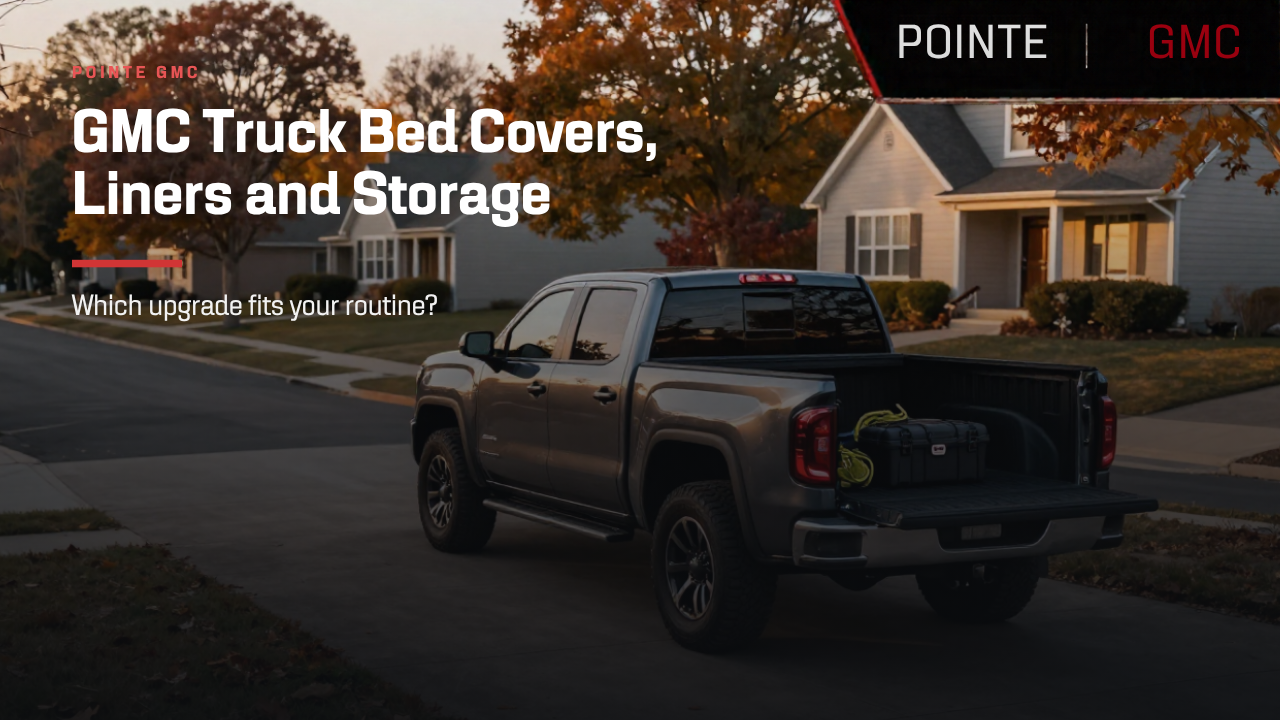
GMC Truck Bed Covers, Liners and Storage: Which Upgrade Fits Your Routine?

The right truck bed accessories can make your GMC more convenient for workdays, weekend projects and everyday errands. But should you start with a tonneau cover, a bed liner or a storage system? The answer depends on what you haul and how you use your pickup. For GMC truck owners in Penns Grove, NJ, choosing an upgrade starts with a simple question: What problem do you want it to solve? Here’s how to compare truck bed covers, liners and storage before placing an order. Truck Bed Covers: Balance Cargo Protection With Easy Access A truck bed cover, also called a tonneau cover, can help shield cargo from weather and keep belongings out of direct view. Different designs open in different ways, affecting how easily you can load tools, groceries or larger equipment. When comparing covers for your GMC Sierra or Canyon, consider: Bed access: How much of the bed remains accessible when the cover is open? Bulky cargo: Can the cover fold, roll or retract sufficiently for taller loads? Security: How does the locking system work with the tailgate? Weather protection: What does the manufacturer specify about water resistance? Do not assume every tonneau cover provides the same security or makes your truck bed completely waterproof. Check compatibility with your tailgate, toolbox and other equipment, too. Before ordering, ask Pointe GMC’s parts team about compatible truck bed covers for your specific vehicle. Truck Bed Liners: Choose a Surface That Suits Your Cargo A truck bed liner helps protect the bed from wear associated with loading and unloading. Liner options differ in surface texture, installation method and care requirements. Start by thinking about what you carry most often. Do you need items to slide easily during loading, or would you prefer a surface with more grip? Also consider how the liner affects drainage, access to tie-down points and the fit of other truck bed accessories. If you drive a pre-owned GMC truck, have the bed’s condition assessed before installation. Existing damage and previous accessories may affect the preparation needed. You can contact Pointe GMC’s service and parts department to discuss liner compatibility and ask about installation options. Truck Bed Storage: Organize Tools Without Losing Needed Space Truck toolboxes, bed dividers and organizers can make frequently used equipment easier to find. They also occupy space that you may need for furniture, building materials or weekend gear. Before choosing a storage system: Measure the tools and equipment you regularly carry. Identify which items need quick access. Leave room for your typical larger loads. Check access to tie-downs and other bed features. An organizer helps manage cargo, but it does not replace suitable tie-downs. Secure your load and stay within your truck’s weight limits. Confirm GMC Truck Bed Accessory Compatibility Truck bed accessories are not one-size-fits-all. Fit depends on your GMC’s model, model year, bed dimensions and installed equipment. Before ordering, confirm compatibility among the cover, liner, storage system and tailgate. Added accessory weight also uses part of your available payload capacity, so include it when planning your load. Have your vehicle information—and preferably your VIN—ready when discussing options with the parts team. Find Truck Bed Accessories at Pointe GMC in Penns Grove, NJ Whether you want easier cargo access, bed protection or better organization, focus on upgrades that support your everyday routine. Contact Pointe GMC in Penns Grove, NJ to ask about compatible GMC truck bed accessories, current availability and installation options. Bring your vehicle details and a description of your typical cargo so the team can help you explore a practical fit.